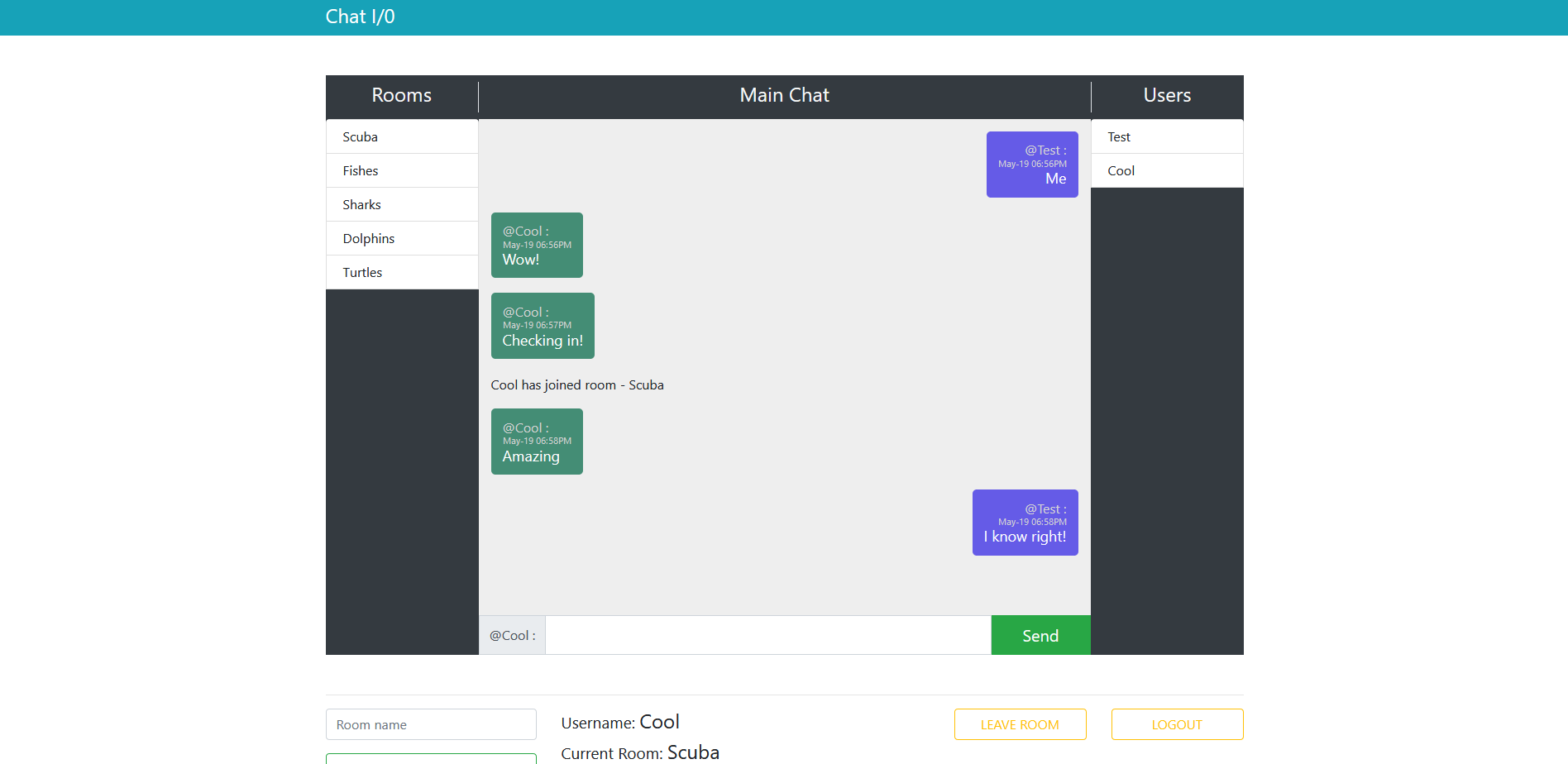
Overview
Chat I/O is a real-time chat application that demonstrates WebSocket communication using Flask-SocketIO. Users can join a default public room ("Scuba") or create private chat rooms for group conversations. The application persists user sessions in the browser's local storage — returning visitors are automatically reconnected to their previous room and display name without re-authentication.
Handlebars.js templates render dynamic UI components including the login form, chat messages, user controls, and @mention input fields. Bootstrap 4 provides responsive styling, and the entire application is containerized with Docker for deployment.
Key Features
- Real-time messaging: Socket.IO enables instant bidirectional communication between clients and server
- Private chat rooms: Users create named rooms that others can join for group conversations
- Persistent sessions: Local storage saves username and room — returning users skip the login form and reconnect automatically
- Dynamic templating: Handlebars.js renders chat messages, login forms, user controls, and @mention inputs
- User controls: Create rooms, leave rooms, and logout through a clean UI
Architecture
| Layer | Role |
|---|---|
| Flask | HTTP server, routing, session management |
| Flask-SocketIO | WebSocket layer for real-time communication |
| Handlebars.js | Client-side template rendering |
| Bootstrap 4 | Responsive CSS framework |
| Local Storage | Client-side session persistence |
The server runs on Flask with the flask_sockets worker under Gunicorn for production. The client uses Socket.IO's JavaScript library for WebSocket connections, with AJAX fallback. All templates are rendered client-side by Handlebars.js after being fetched from the server.
Data Flow
User connects → Login (or auto-login via local storage) → Join room
     ↓
Message sent → Socket.IO emit → Server broadcast to room → All clients render via Handlebars template
Tech Stack
| Layer | Technology |
|---|---|
| Server | Python, Flask, Flask-SocketIO |
| Real-time | Socket.IO (WebSocket with AJAX fallback) |
| Templating | Handlebars.js (client-side) |
| Styling | Bootstrap 4 |
| Production | Gunicorn + flask_sockets worker |
| Deployment | Docker, Heroku |